Site Map Overview
Currently, this is only available as part of our professional services package.
The Site Map feature provides a visual representation of your organization’s site hierarchy and related location-based resources. It is intended to help you understand how sites are organized and quickly navigate to the information you need.
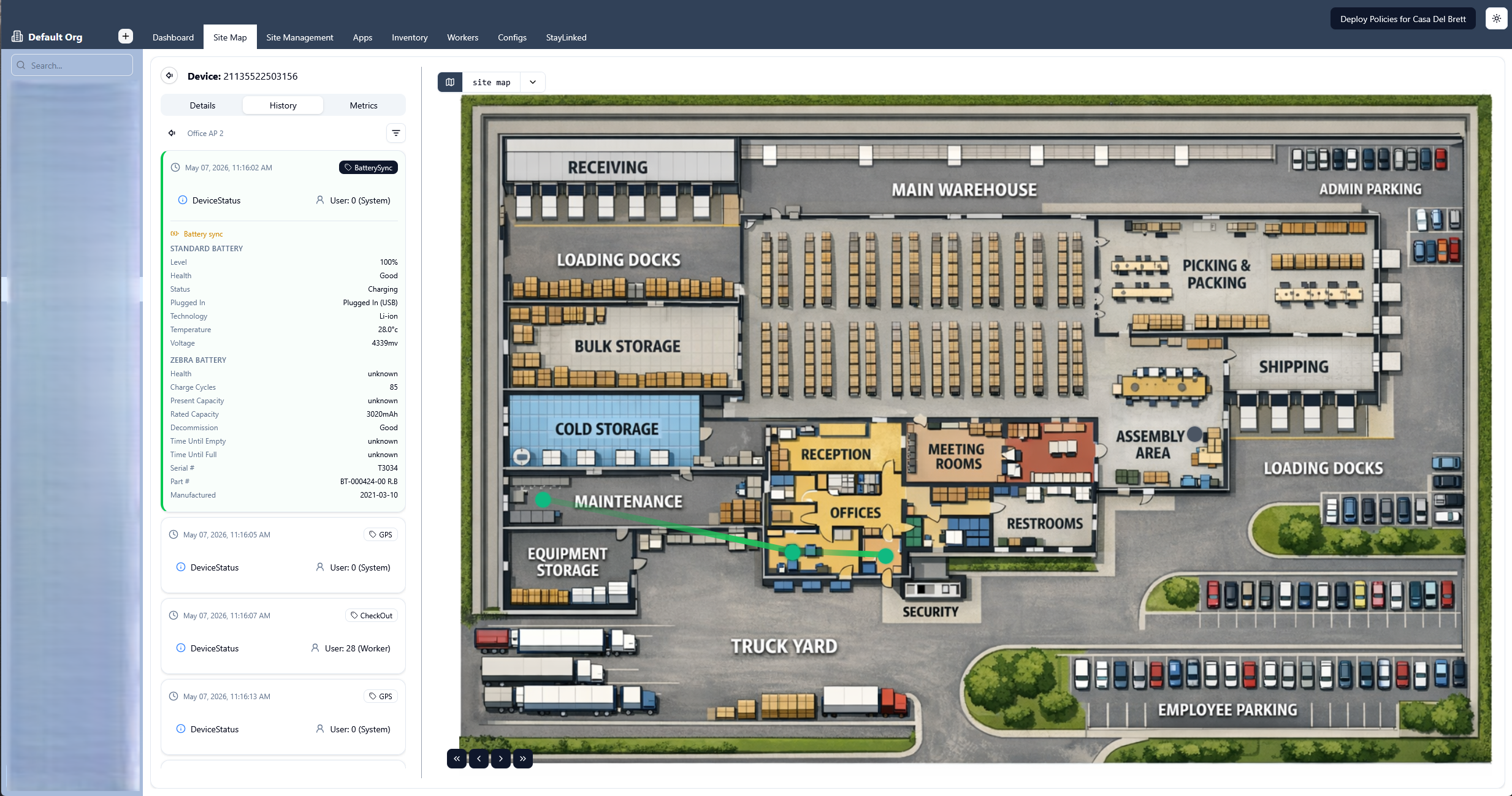
From the site map, you can also track device activity in relation to its location. You can see what activities were performed with the device while it was in different locations, and track its movement across your site via access points.
General Navigation
-
Click an access point on the map to see details including, vendor, model, location, MAC address, and connected devices.
-
To see notes associated with an access point, select it on the map, click the View/Add Notes button
 .
.
Device Details, History, and Metrics
On the site map page, click the View Device Survey  button to see more information about the device.
-
Details. The device serial number, terminal ID, MAC address, model, IP address, location, current user, and status.
-
History. Device activity summaries organized by day or session.
-
Day. Number of sessions, number of workers who used it, number of events, up time. Clicking on a day brings you to the point-by-point view for that day.
-
Session. Session length, number of events, up time. Clicking on a session brings you to the point-by-point view for that session.
-
Point-by-point. The access points the device connected to during that day or session, how long it was connected to each, and the number of events that happened while connected.
-
Metrics. CPU usage, signal strength, battery level, latest device activity, next estimated maintenance date.